
How to Check If Your Globe SIM Is Already Registered
Just registered your Globe SIM and wondering if it went through? Or maybe you registered months ago and want to confirm your number is still compliant? Either way, checking your Globe SIM registration status takes under a minute — and you have four ways to do it.
This guide covers every official method, what each confirmation message looks like, and what to do if your SIM shows as unregistered even when you are sure you completed the process.
The Quick Answer
There are four ways to check if your Globe SIM is registered:
- Online portal — visit new.globe.com.ph/simreg and enter your number
- SMS — text SIMREG to 8080 and wait for a reply
- GlobeOne App — log in and check the registration status section
- Call 211 — speak to a Globe agent for manual verification
All four methods are free. The SMS method is the fastest if you are already on your phone.
Method 1: Check via the Globe Online Portal
The official Globe SIM registration portal lets you verify your status without downloading any app.
- Open a browser on your phone or computer
- Go to new.globe.com.ph/simreg
- Enter your 11-digit Globe mobile number
- Click Register — the portal detects if you are already registered
- If registered, you will see a confirmation screen with your registration details
- If not registered, the system takes you directly to the registration form
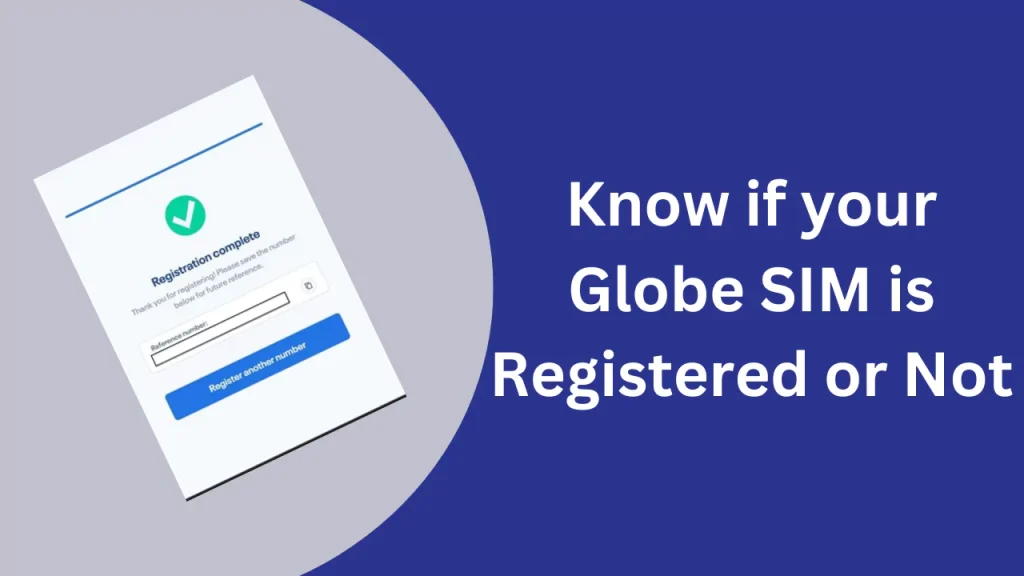
What you will see if registered:
A confirmation screen showing your SIM is active and registered under your name. In some cases it will display the reference number from your original registration.
What you will see if not registered:
The system skips the status screen and opens the registration form directly.
Tip: A stable connection helps, but mobile data on the same SIM you are verifying works fine — the portal does not require an active data subscription to load.
Method 2: Check via SMS (Fastest Method)
No app, no browser, no login required. If you are on your phone, this is the quickest option.
For prepaid and postpaid SIMs:
- Open your messaging app
- Compose a new message
- Type:
SIMREG - Send to 8080
- A reply arrives within 30 seconds
If registered: Globe sends a message confirming your SIM is compliant under RA 11934.
If not registered: You receive a message with a link to complete registration at new.globe.com.ph/simreg.
For Globe at Home (LTE / Wireless Landline):
The check is slightly different for at-home subscribers:
- Open your messaging app on a mobile linked to the account
- Type:
SIMREG [ACCOUNT NUMBER] [WIRELESS LANDLINE NUMBER] - Send to 268204
- You will receive a confirmation SMS with your LTE at Home registration status
Method 3: Check via the GlobeOne App
Useful if you manage multiple Globe numbers or want to see your full account status in one place.
Steps:
- Download the GlobeOne app from the App Store or Google Play (free)
- Log in with your Globe mobile number
- Enter the 6-digit OTP sent to your number
- On the dashboard, find the SIM Registration section
- Your current registration status is displayed here
If registered: A confirmation label shows your SIM is registered and active.
If not registered: The app prompts you to complete registration directly inside the app.
Note: The GlobeOne app is also where you can update your registration details if your name, address, or ID has changed since you first registered.
Method 4: Call 211 or Visit a Globe Store
For when the digital methods are not working or you want to speak to someone directly:
- Call 211 from your Globe mobile — free
- Call (02) 7730-1000 from a landline or non-Globe number
- Visit any Globe Store and ask a representative to verify your status at the counter
Bring a valid government-issued ID when visiting in person. The agent may ask for it before disclosing your registration details.
What Each Status Result Means
Status
- What it means
- What to do
Registered / Active
- Fully compliant under RA 11934
- Nothing — you are good
Pending verification
- Submitted, under review
- Wait 24–48 hours, check again
Not registered
- No registration on file
- Register at new.globe.com.ph/simreg
Registration failed
- Previous attempt was rejected
- Re-submit with a clearer ID photo
Deactivated
- SIM disabled due to non-registration
- Visit a Globe Store
Why Your SIM Shows “Not Registered” Even After You Registered
This is one of the most common concerns Globe users report. Here are the real reasons it happens:
- Registration is still processing. Online registrations can take up to 24 hours to reflect in the system. If you just submitted, wait a full day before checking again.
- OTP expired mid-registration. If your session timed out or the OTP expired before you submitted, your registration did not complete. Return to the portal and start again — it will not create a duplicate entry.
- ID or selfie was rejected automatically. Globe uses OCR technology to verify documents. A blurry photo, glare on the ID, or a file over 2MB can cause a silent rejection with no error message. Re-upload with a clear image under 2MB.
- Typo in your mobile number. If you entered a wrong digit during the original registration, the verification will not match your SIM. Contact Globe at 211 to resolve this.
- You are checking the wrong number. Double-check the full 11-digit number. Globe numbers begin with 0917, 0915, 0916, 0926, 0927, 0935, 0936, and several other prefixes.
Frequently Asked Questions
How long does it take for Globe SIM registration to show as confirmed?
Most registrations confirm within a few hours. In some cases it takes up to 24 hours. If it has been more than 48 hours and you still see “not registered,” contact Globe at 211.
Can I check my registration status without internet?
Yes. Text SIMREG to 8080 — this uses SMS only and does not require mobile data or Wi-Fi.
Is checking registration status free?
Yes. Texting 8080 is free from any Globe or TM number. Calling 211 is also free from a Globe mobile.
What if my SIM shows registered but I cannot make calls?
Registration and service activation are separate processes. If your SIM is registered but not working, check your load balance, signal strength, and whether you have an active promo or plan. Call 211 if the issue continues.
Can I check the status of someone else’s SIM?
No. Registration status is tied to the SIM owner’s personal details. Only the registered owner or an authorized representative with valid ID can verify or update registration information.
My old SIM was deactivated in 2023. Can I reactivate it?
No. SIMs deactivated for missing the July 2023 deadline cannot be reactivated. You will need to purchase a new Globe SIM and register it immediately upon purchase.
Does checking my status count as re-registering?
No. Checking through any method above is a read-only verification. It does not change, update, or reset your registration.

- LOST GLOBE SIM, REPLACEMENT PROCESS - July 11, 2026
- RA 11934 Explained: The Law Behind Philippine SIM Registration - July 11, 2026
- How to Activate Globe SIM: A Complete Step-by-Step Guide - July 11, 2026
